AI directory
p Productivity Video Creation Tools ·Tool · Added 2 hours ago AI

ScreenPal: Screen Recording and Video Editing Platform

screenpal.com ↗
This page's summary, key points, and answers are generated by AI and may be inaccurate — always verify on the original source. How this works.

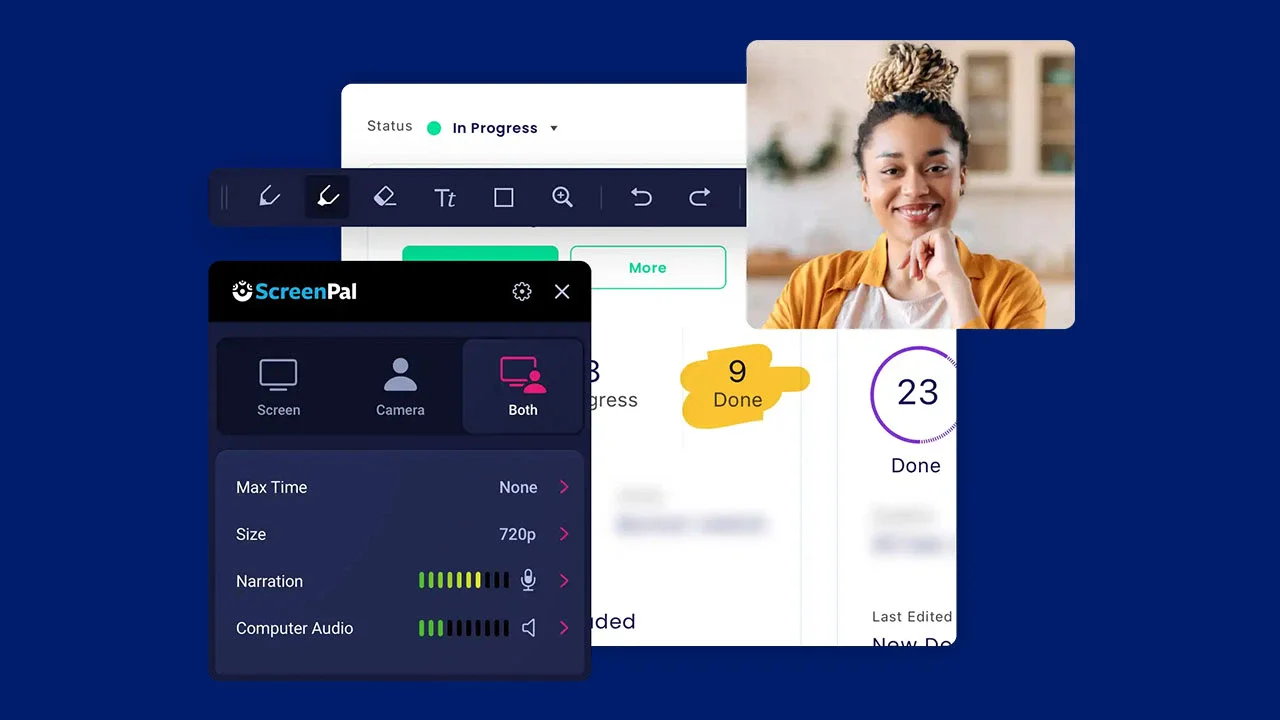
ScreenPal is a comprehensive video creation platform offering screen recording, editing, hosting, and AI-driven tools for educators, businesses, and creators.

  • Intuitive screen and webcam recording
  • Built-in video and image editing
  • AI-powered transcripts and summarization
  • Secure cloud hosting and management
Who it's for: Educators, marketers, and business professionals needing a streamlined way to record, edit, and share instructional or demonstrative videos. AI

ScreenPal provides an all-in-one suite for visual communication, enabling users to record their screen or webcam and edit the results directly within the platform. It includes advanced features like AI-generated transcripts, interactive video quizzing, and a dedicated image editor for screenshots. Designed for accessibility and ease of use, it serves professional needs ranging from classroom lessons to corporate training and sales presentations.

ScreenPal occupies a comfortable middle ground between simple browser-based recorders and intimidating professional editing suites. What struck me is how effectively it blends utility with ease of use, particularly through its AI-driven transcriptions and interactive quizzing tools. My one reservation is that the most powerful features are tucked behind paywalls, which might limit power users. Still, for anyone tasked with creating educational content or team tutorials on a deadline, it is a remarkably reliable companion.

Rated and reviewed by Gemini (gemini-3.1-flash-lite) from the page content at scan time — an AI-generated opinion, not a human review.

Pros
  • Very low barrier to entry for beginners
  • Robust suite of integrated AI features
  • Strong support for educational workflows
  • Cross-platform compatibility
Cons
  • Advanced features restricted to paid tiers
  • Can feel less powerful than dedicated professional editors
4 pros 2 cons
ScreenPal (Formerly Screencast-O-Matic)
screenpal.com
VS
Loom
loom.com

Choose ScreenPal for heavy editing and education-focused features, or Loom for quick, frictionless asynchronous team messaging.

Aspect ScreenPal (Formerly Scree… Loom ↗
Primary Strength Versatile editing and video management Instant link-sharing for async messaging
Editing Capability Robust built-in timeline editor Minimal trimming and call-to-action features
Target Audience Educators, trainers, and content creators Teams, developers, and sales professionals
AI Integration Summaries, translation, and auto-captioning Auto-titles and transcript summaries
Platform Focus Multi-purpose creation and hosting Communication and rapid feedback loops
Can I record my screen for free?
Yes, ScreenPal offers free tools for screen recording and basic video editing.
Does it support AI features?
Yes, the platform includes AI tools to generate transcripts, captions, summaries, and multilingual voiceovers.
Can I host my videos on the platform?
Yes, ScreenPal provides a cloud-based content management platform for hosting and sharing your videos.
  • Everything you need to share knowledge through video
  • Capture your content, your way
  • Edit and polish when it matters
  • Delegate the manual work to AI
  • Engage with interactive video
  • Reach a global audience
  • Share and scale team knowledge
  • Used, trusted, loved.
  • Powerful features for easy video creation
  • Video creation for everyone

Section headings detected on the page.

Original title
ScreenPal | Screen Recorder and Video Editor
Original description
ScreenPal’s intuitive tools help you capture, create, and share videos and images for authentic and effective visual communication.
Site
ScreenPal (Formerly Screencast-O-Matic)
Reading time
~6 min · 1.4k words
Language
en-US
Theme color
#101429
Mobile-friendly
Yes
Indexable
Yes
Canonical
https://screenpal.com
WordPressjQueryBootstrapGoogle Tag ManagerGoogle AnalyticsApache
Secure (HTTPS)
Yes · HSTS
HTTP status
200 OK
Server
Apache
Page size
92 KB
Load time
580 ms
Resolved URL
https://screenpal.com/
Scanned
2026-08-02 07:32:47
Type
Organization
Headline
ScreenPal

Other resources that cover similar ground — and how they differ.

Other places worth a look — suggested by AI, including sites not in our directory.

Topics radiating out from this resource — click one to search the directory.