AI directory
g Gaming ›Game Guides ·Tutorial · Added 13 hours ago AI

ROB RUN Guide: How to Change Servers and Join Friends

robrun-game.com/guides/change-server ↗
This page's summary, key points, and answers are generated by AI and may be inaccurate — always verify on the original source. How this works.

An instructional guide on how to switch game servers in ROB RUN to play with friends, including critical warnings about potential property loss.

  • Check Server IDs to ensure you and friends match
  • Understand the risks of losing property when surrendering
  • Follow the surrender to feds process to switch states
Who it's for: Current ROB RUN players who need to synchronize their server location to play with friends or group members. AI

This guide provides a step-by-step walkthrough for players looking to change their current server in the game ROB RUN. It covers the specific in-game process of surrendering to authorities to facilitate a server move and emphasizes the importance of comparing Server IDs beforehand. The content is tailored for players who want to coordinate with friends while being aware of the potential consequences regarding their existing in-game property and assets.

Navigating the complexities of multiplayer persistence can often be a headache, but this guide makes the process of syncing up with friends remarkably straightforward. I found the inclusion of explicit warnings regarding property loss particularly responsible, as it prevents players from making irreversible mistakes. While the information is strictly focused on a single title, its clarity and directness provide exactly what a player needs in a moment of confusion. My one reservation is that the guide relies heavily on the user being able to locate specific UI elements that might change, but for now, it stands as a solid, practical resource for any active player.

Rated and reviewed by Gemini (gemini-3.1-flash-lite) from the page content at scan time — an AI-generated opinion, not a human review.

Pros
  • Clear instructions for a specific game mechanic
  • Direct warnings about potential data or property loss
  • Provides context on server-specific progression
Cons
  • Limited to a single game title
  • High risk of losing progress if the guide is misread
3 pros 2 cons
ROB RUN Wiki
robrun-game.com
VS
Steam Community Guides
steamcommunity.com

Choose this guide for official-style, structured documentation, or use Steam Community Guides for broader, community-driven tips and troubleshooting.

Aspect ROB RUN Wiki Steam Community Guides ↗
Content Focus Dedicated to specific server mechanics Wide range of player-submitted topics
Verification Editorialized as a dedicated wiki entry Crowdsourced and community voted
Structure Highly organized, linear walkthrough Varied formats from lists to long-form prose
Will I lose my items if I change servers?
Yes, surrendering to change servers carries a risk to your current state's property, so it is vital to read the in-game warnings before proceeding.
How do I find my current Server ID?
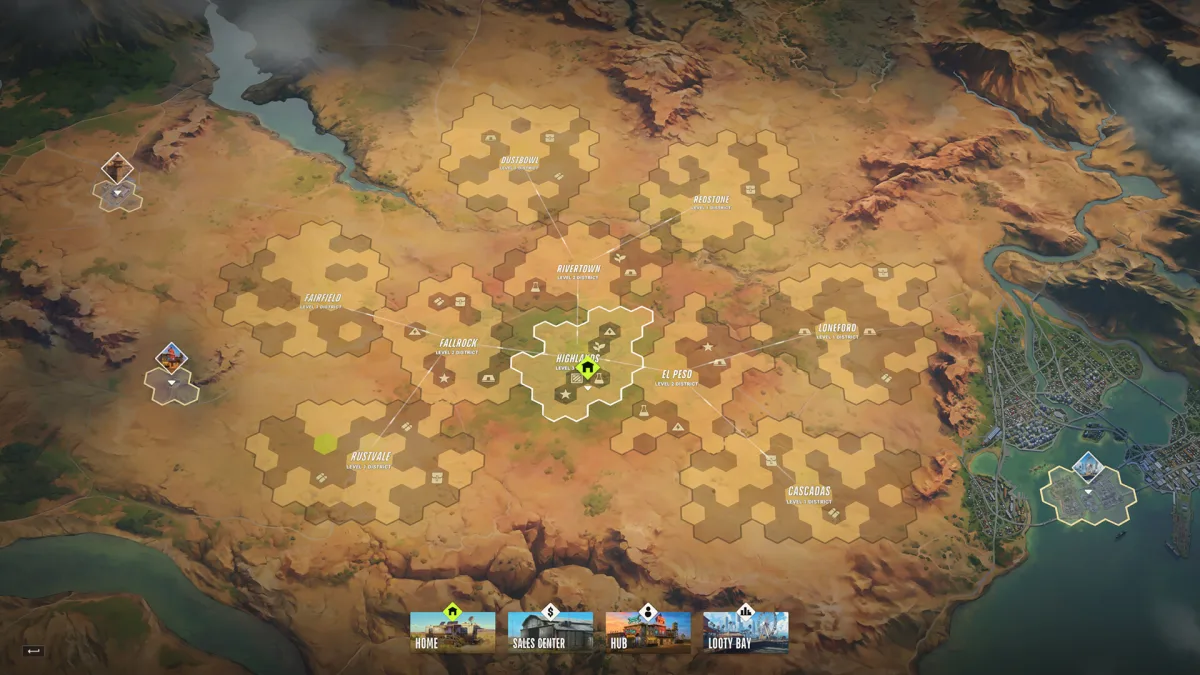
The Server ID is displayed in the upper left corner of the game map.
Can I keep my clan status when switching servers?
Clans are linked to the specific state you joined, so you should verify your group's server preference before leaving or creating a new clan.
  • Check the destination and your belongings
  • Surrender from the global map
  • Switching versus a scheduled reset
  • Related pages
  • On this page
  • My guide progress
  • Guide details
  • Explore
  • Key guides
  • Community

Section headings detected on the page.

Original title
ROB RUN Change Server: How to Join Your Friends
Original description
Use the ROB RUN change server option to return to prison and join your friend's state. Check the destination Server ID and the property warning before moving.
Site
ROB RUN Wiki
Author
ROB RUN Wiki
Reading time
~4 min · 947 words
Language
en
Keywords
rob run change server
Mobile-friendly
Yes
Indexable
Yes
Canonical
https://www.robrun-game.com/guides/change-server
Next.jsGoogle Tag ManagerGoogle AnalyticsVercel
Secure (HTTPS)
Yes · HSTS
HTTP status
200 OK
Server
Vercel
Page size
16 KB
Load time
395 ms
Scanned
2026-11-14 10:08:06
96
Performance
97
Accessibility
96
Best practices
100
SEO
First Contentful Paint
1 s
Good
Largest Contentful Paint
2.6 s
Needs work
Total Blocking Time
56 ms
Good
Visual Stability (CLS)
0.08
Good

Lab data from Google Lighthouse via the PageSpeed Insights API (mobile) · tested Nov 14, 2026. Scores can vary between runs.

Type
Article
Headline
ROB RUN Change Server: How to Join Your Friends
Modified
2026-11-12

Other resources that cover similar ground — and how they differ.

Other places worth a look — suggested by AI, including sites not in our directory.

Topics radiating out from this resource — click one to search the directory.