AI directory
t Technology ›CAD Tools ·Tool · Added 1 hour ago AI

CADProps Online STEP File Viewer

cadprops.com/tools/step-viewer ↗
This page's summary, key points, and answers are generated by AI and may be inaccurate — always verify on the original source. How this works.

A browser-based tool for viewing, measuring, and inspecting 3D STEP and STP files without requiring CAD software installation or user registration.

  • View STEP files directly in web browser
  • Measure edges, holes, and solid volume
  • Inspect assemblies with structure tree
  • No account or CAD software installation required
Who it's for: Engineers and designers who need a quick way to inspect 3D files without launching heavy desktop CAD software. AI

CADProps provides a web-based utility for users who need to view and analyze 3D STEP and STP files quickly. The tool allows for interactive model rotation, sectioning, and precise measurements of geometry, including edge lengths and solid volumes. Designed for convenience, it runs entirely in the browser and supports assembly inspection through a hierarchical structure panel.

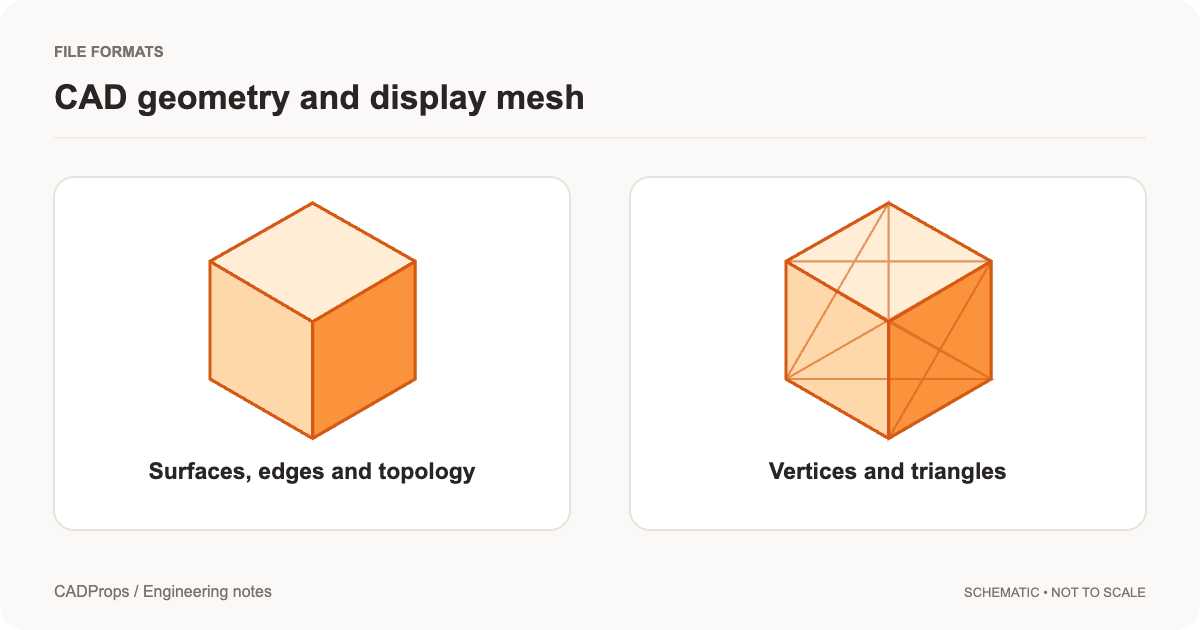
Opening complex 3D assembly files usually demands a dedicated workstation, but CADProps delivers an surprisingly lightweight alternative that works right in the browser. I am impressed by how well it handles B-Rep geometry for accurate measurements, distinguishing it from simple mesh-based viewers that rely on approximations. My one reservation is the lack of support for externally referenced assembly parts, which might necessitate manual file restructuring for some users. It is a refined, no-nonsense utility that earns its place in any engineer's browser bookmarks for quick check-ins and field inspections.

Rated and reviewed by Gemini (gemini-3.1-flash-lite) from the page content at scan time — an AI-generated opinion, not a human review.

Pros
  • Instant access without installation
  • Privacy-focused guest workspace
  • Accurate B-Rep measurement tools
  • Effective assembly structure navigation
Cons
  • Dependent on server-side processing
  • Does not support external file references
  • Limited to specific CAD file formats
4 pros 3 cons
CADProps
cadprops.com
VS
Autodesk Viewer
viewer.autodesk.com

Choose CADProps for quick, lightweight file checks, or Autodesk Viewer for professional-grade, multi-format collaboration.

Aspect CADProps Autodesk Viewer ↗
User Account Optional for basic viewing Required for all file access
Supported Formats Primarily STEP/STP focused Extensive support for 50+ file types
Performance High speed for individual parts Heavy-duty rendering for complex assemblies
Primary Use Case Rapid inspection and measurement Full-scale project collaboration
Setup None, fully browser-based None, but requires cloud registration
Do I need an account to use the viewer?
No, viewing and measuring files are available without creating an account or signing in.
Can I see the volume of my 3D model?
Yes, the tool calculates and displays the volume for valid closed solids.
Are external references supported in assemblies?
No, the viewer only handles self-contained STEP files and does not fetch external referenced parts.
  • Capabilities and limits
  • Open a STEP or STP file
  • Inspect an assembly part by part
  • Choose the right measurement mode
  • Section and display the model
  • Checks specific to STEP files
  • STEP file will not open or the viewer is blank
  • STP vs STEP: is there a difference?
  • Real CADProps screenshots
  • When a result needs another check

Section headings detected on the page.

Original title
STEP File Viewer Online: Open STP Files, No Account | CADProps
Original description
Open STEP and STP files in your browser. No CAD install and no account. Measure edges and holes, and read volume from a closed solid.
Site
CADProps
Reading time
~10 min · 2.2k words
Language
en
Theme color
#c6500b
Mobile-friendly
Yes
Indexable
Yes
Canonical
https://www.cadprops.com/tools/step-viewer/
Google Tag ManagerGoogle AnalyticsCloudflare
Secure (HTTPS)
Yes · HSTS
HTTP status
200 OK
Server
cloudflare
Page size
13 KB
Load time
539 ms
Scanned
2026-11-04 21:21:48
100
Performance
100
Accessibility
81
Best practices
100
SEO
First Contentful Paint
1.1 s
Good
Largest Contentful Paint
1.1 s
Good
Total Blocking Time
27 ms
Good
Visual Stability (CLS)
0.00
Good

Lab data from Google Lighthouse via the PageSpeed Insights API (mobile) · tested Nov 4, 2026. Scores can vary between runs.

Type
WebPage
Headline
STEP File Viewer Online: Open STP Files, No Account
Modified
2026-11-01

Other resources that cover similar ground — and how they differ.

Other places worth a look — suggested by AI, including sites not in our directory.

Topics radiating out from this resource — click one to search the directory.