AI directory
d Design ›AI Image Editing ·Tool · Added 1 hour ago AI

Omni Creator AI Photo Editor

omnicreator.art ↗
This page's summary, key points, and answers are generated by AI and may be inaccurate — always verify on the original source. How this works.

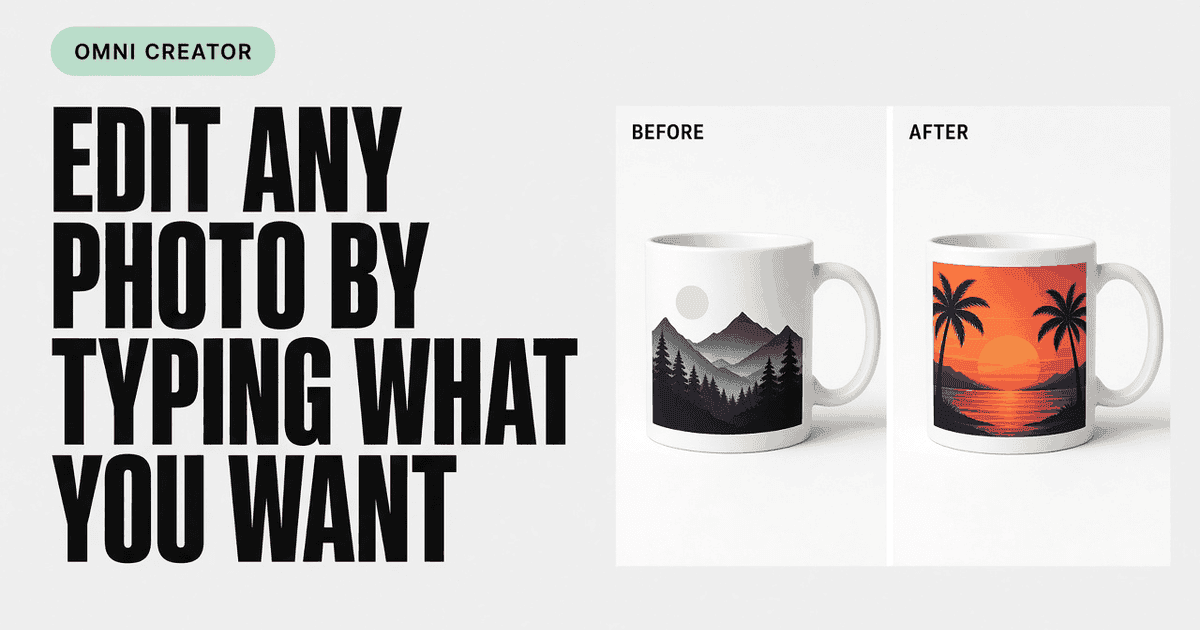
Omni Creator is an online AI-powered photo editing tool that enables users to perform specific image tasks, such as background replacement, object removal, and product photo enhancement, using descriptive text prompts.

  • Prompt-based photo editing without layers
  • Seven specialized AI edit modes
  • Free daily credits with account sign-in
  • Optimized for e-commerce and social content
Who it's for: Best for e-commerce sellers and social media creators who need to quickly polish or transform product and lifestyle photos. AI

Omni Creator provides a streamlined workspace for performing quick AI-driven edits on uploaded images. Instead of complex layer management, users choose from seven modes—such as relighting or outfit changes—and use text to describe their desired outcome. It is designed to be accessible for those who need professional-looking results without deep expertise in graphic design software.

Omni Creator targets a specific niche of user—the person who needs a professional product shot or a clean background swap but lacks the time to master professional software. What won me over is the lack of friction; you upload, prompt, and download without getting lost in an ocean of menus. While it will not satisfy power users craving manual pathing or color grading depth, it hits its mark as a utilitarian tool for social media and e-commerce. It is a refreshing, focused alternative to bloated design suites, though the credit system is a reminder that this convenience has its boundaries. I recommend it to anyone who treats photo editing as a quick task rather than a craft.

Rated and reviewed by Gemini (gemini-3.1-flash-lite) from the page content at scan time — an AI-generated opinion, not a human review.

Pros
  • Simple, prompt-driven interface
  • Zero learning curve for basic edits
  • Efficient for repetitive tasks like background removal
Cons
  • Lacks advanced, pixel-level manual control
  • Dependent on credit-based daily limits
3 pros 2 cons
Omni Creator
omnicreator.art
VS
Adobe Photoshop
adobe.com

Choose Omni Creator for rapid, prompt-based edits, or Photoshop for full-scale professional design control.

Aspect Omni Creator Adobe Photoshop ↗
Core Workflow Text-prompt based, no layers Layer-based, complex manual control
Learning Curve Minutes Steep and time-intensive
Primary Use Case Fast, specific image edits Comprehensive graphic design projects
Precision Automated prompt-driven output Pixel-level manual control
Accessibility Browser-based, web app Desktop software ecosystem
Is Omni Creator completely free to use?
It offers a free-to-start model where users can sign in with Google and receive 10 credits daily for performing edits.
Do I need design skills to use this tool?
No, the tool is prompt-based, meaning you describe what you want in plain language rather than manually manipulating layers or masks.
What types of image files can I upload?
The platform supports JPG, PNG, WebP, AVIF, and HEIC files up to 25 MB in size.
  • Editor
  • Create
  • Result
  • Studio-ready product shots from everyday clutter
  • THREE STEPS. NO LAYERS.
  • Upload
  • Describe
  • Download
  • SEVEN MODES. ONE OMNICREATOR WORKSPACE.
  • Replace background

Section headings detected on the page.

Original title
omnicreator — AI Photo Editor Online free
Original description
Omni Creator is an AI Photo Editor Online free to try. Sign in, check in for +10 credits daily, and edit photos by typing — backgrounds, removals, product sh...
Site
Omni Creator
Reading time
~6 min · 1.3k words
Language
en
Mobile-friendly
Yes
Indexable
Yes
Canonical
https://omnicreator.art
Next.jsCloudflareVercel
Secure (HTTPS)
Yes
HTTP status
200 OK
Server
cloudflare
Powered by
Next.js
Page size
39 KB
Load time
2086 ms
Resolved URL
https://omnicreator.art/
Scanned
2026-10-18 06:02:45
89
Performance
97
Accessibility
96
Best practices
100
SEO
First Contentful Paint
2 s
Needs work
Largest Contentful Paint
3.5 s
Needs work
Total Blocking Time
44 ms
Good
Visual Stability (CLS)
0.00
Good

Lab data from Google Lighthouse via the PageSpeed Insights API (mobile) · tested Oct 18, 2026. Scores can vary between runs.

Other resources that cover similar ground — and how they differ.

Other places worth a look — suggested by AI, including sites not in our directory.

Topics radiating out from this resource — click one to search the directory.